A person can read a website, navigate its menus and still be unable to complete the task that brought them there. The obstacle may appear when they log in again, correct a form or recover an account. Accessibility has to reach those moments too.
That matters because a service is rarely one uninterrupted visit. People stop to find a document, switch devices, make an error or return after an absence. A design review that follows only the cleanest path can miss the points where access becomes difficult.
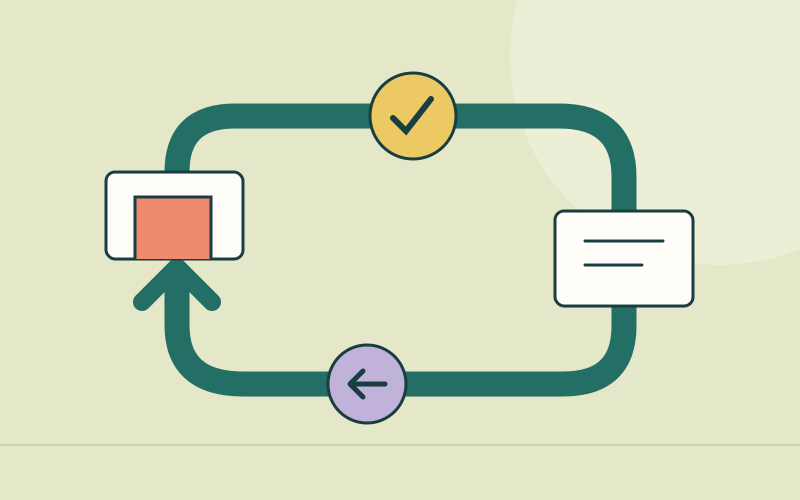
The return journey deserves its own attention: what happens when a person needs to resume, correct or recover? It is a practical way to examine the assumptions hidden inside familiar interfaces.
Memory should not be an unnecessary entry requirement
Login is an obvious place to start. W3C's explanation of WCAG 2.2's Accessible Authentication criterion addresses cognitive tests in authentication, including remembering passwords and transcribing information. The criterion permits specified alternatives or assistance, and includes exceptions for object recognition and personal content. Supporting password managers and copy-and-paste are examples of mechanisms that can reduce the burden.
The distinction is important. Accessibility does not require abandoning account security or making every login identical. It requires examining whether people have an appropriate way to authenticate without an avoidable cognitive barrier. The criterion concerns existing-account authentication, rather than setting every rule for account creation.
A team can begin with ordinary tests: does a password manager recognise the fields? Can someone paste a verification code? Does the interface accept the complete pasted value? A system that displays several code boxes may look tidy while behaving badly when someone tries to paste into them.
Account recovery belongs in that review. An accessible primary login loses much of its value if the only recovery route depends on a task the person cannot perform. Review the path as a connected process, including the external service used to verify identity.
Preserve useful information without keeping everything
Forms create another kind of memory demand. WCAG 2.2's Redundant Entry criterion generally requires information already provided in the same process to be populated or available to select when requested again. It includes exceptions for essential re-entry, security and information that is no longer valid. It does not require keeping information between sessions.
That last qualification matters to the broader return-journey argument. There may be good reasons to let someone resume later, but this particular criterion is not a mandate to store their form indefinitely. Any persistence feature needs a deliberate decision about privacy, access and retention.
Within a process, the practical goal is to avoid making someone reconstruct information the service already has. A review screen should let them inspect and change the relevant answer. An error in one field should not create needless work elsewhere. The design should make clear what remains saved and what must be entered again.
Consider an illustrative application form in which a person corrects a reference number. If the entire form clears, the apparent correction task becomes a second application. That additional work can be especially difficult for someone using assistive technology or managing fatigue. A short field-level error message does not solve the larger problem if the process itself discards progress.
Test recovery with the people who need it
A useful review deliberately leaves the ideal path. Enter an invalid value, move back a step, request a new code and try an expired link. Establish whether the interface explains the problem, identifies a next action and preserves information where appropriate.
Those checks should include keyboard use and relevant assistive technologies, with disabled participants involved in research and testing. A designer's inspection can find defects, but it cannot establish how every person will experience the service. Automated checks are valuable within their coverage; they do not replace that inquiry.
There are real tradeoffs. Keeping progress can help someone resume while creating exposure on a shared device. A longer session may support a person who needs more time while increasing the period in which an unattended account is accessible. Teams should examine those conditions rather than treating either convenience or security as an automatic answer.
The recommendations here extend beyond two selected success criteria. Following them does not establish full WCAG conformance, which requires assessment of all applicable requirements. Their value is to direct attention to a neglected part of the product conversation.
Before approving a release, ask the team to demonstrate a mistake and a return visit, as well as a successful first attempt. A service becomes more usable when people can find their way through the ordinary interruptions of using it.
Sources
W3C Web Accessibility Initiative, Understanding SC 3.3.8: Accessible Authentication (Minimum).
W3C Web Accessibility Initiative, Understanding SC 3.3.7: Redundant Entry.